Variant
Variant
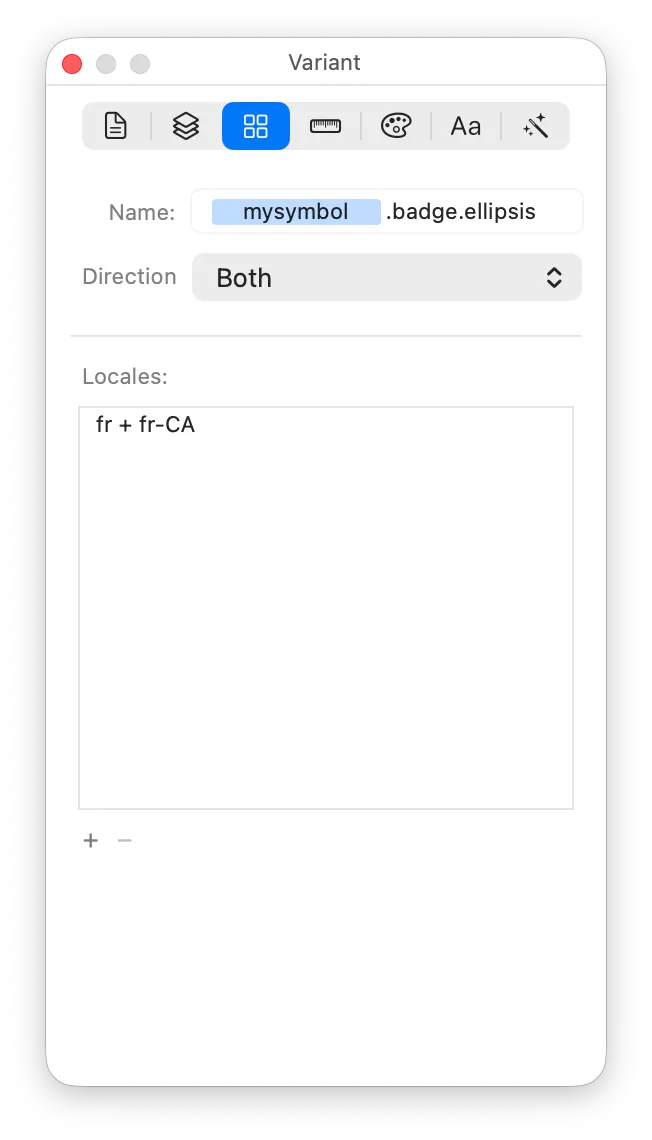
A Variant is a symbol within your McKinley file. The first symbol in the file is known as the Primary variant, and you can make more of them for things like adding badges, or making filled versions. You manage them in the left sidebar of your document. This inspector pane lets you set some properties of the currently selected variant.
Each Variant may itself be split into multiple Alternates. There is much more information about how Alternates work on the Variants help page. The Direction and Locales fields in this inspector pane are how you configure which Alternates the current Variant has.
Name
The name of this variant. If you’re looking at the primary variant of your symbol, the name field will simply say “Primary Variant”. Otherwise, you can enter a name as a suffix to the symbol’s name.
Direction
The writing direction.
- “Fixed” means that this variant does not need to vary for writing direction.
- “Left to Right (auto-mirror)” or “Right to Left (auto-mirror)” mean that you draw just one symbol (for the direction you pick), and the other writing direction is automatically supported by flipping your symbol horizontally.
- “Both” means that you supply two separate drawings of your symbol, one for each writing direction. You can use this if, for example, you want to flip only certain parts of your symbol.
Locales
The sets of locales to vary for:
- Any variant always has a “default locale” version. But if you want to draw a specific version to be used in certain locales, you can. Each row is one set of locales for which you’ll draw a single symbol.
- You can add as many or few sets of locales as you wish, but any one locale can only be in one set.
- Locale sets only apply to the variant you are editing, you may use completely different locale sets in your other variants.