Introduction to SF Symbols
Introduction to SF Symbols
SF Symbols is a library of over 7,000 symbols provided by Apple for use in our Mac and iOS apps. It is also a framework for creating and using your own symbols, so your custom symbols can be used in the same way as Apple’s.
An SF Symbol is a vector glyph, with various attached annotations that let it take advantage of the features of SF Symbols. These features include:
- Use symbols inline with text, as they adapt to the font size.
- Specify a symbol size (small, medium, large), to size the symbol relative to the text.
- Draw in one of nine weights. (You create three weights, the system interpolates the ones in between.)
- Render in a colour or palette supplied by the consumer, or use ‘multicolour’ supplied by the symbol author.
- Create symbols that can show a variable value, such as wifi signal, by changing the tint of different regions.
- Animations such as Bounce, Scale, Replace, and Draw On. Different parts of the symbol can be annotated to animate appropriately.
- Make variants of your symbols by adding badges, slashes, and enclosures.
Most of Apple’s provided symbols support most of these features, at least where they make sense. For custom symbols, you don’t have to support all of these, although you can if you want!
The traditional Apple workflow for making a symbol
Apple provides a Mac app (also called SF Symbols) for adding the annotations that support these features.
The SF Symbols app is not a vector editor. So the usual workflow for making a symbol is:
- Take an arbitrary Apple symbol, and use SF Symbols app to export it to an editable SVG.
- Open this SVG in your vector editor of choice
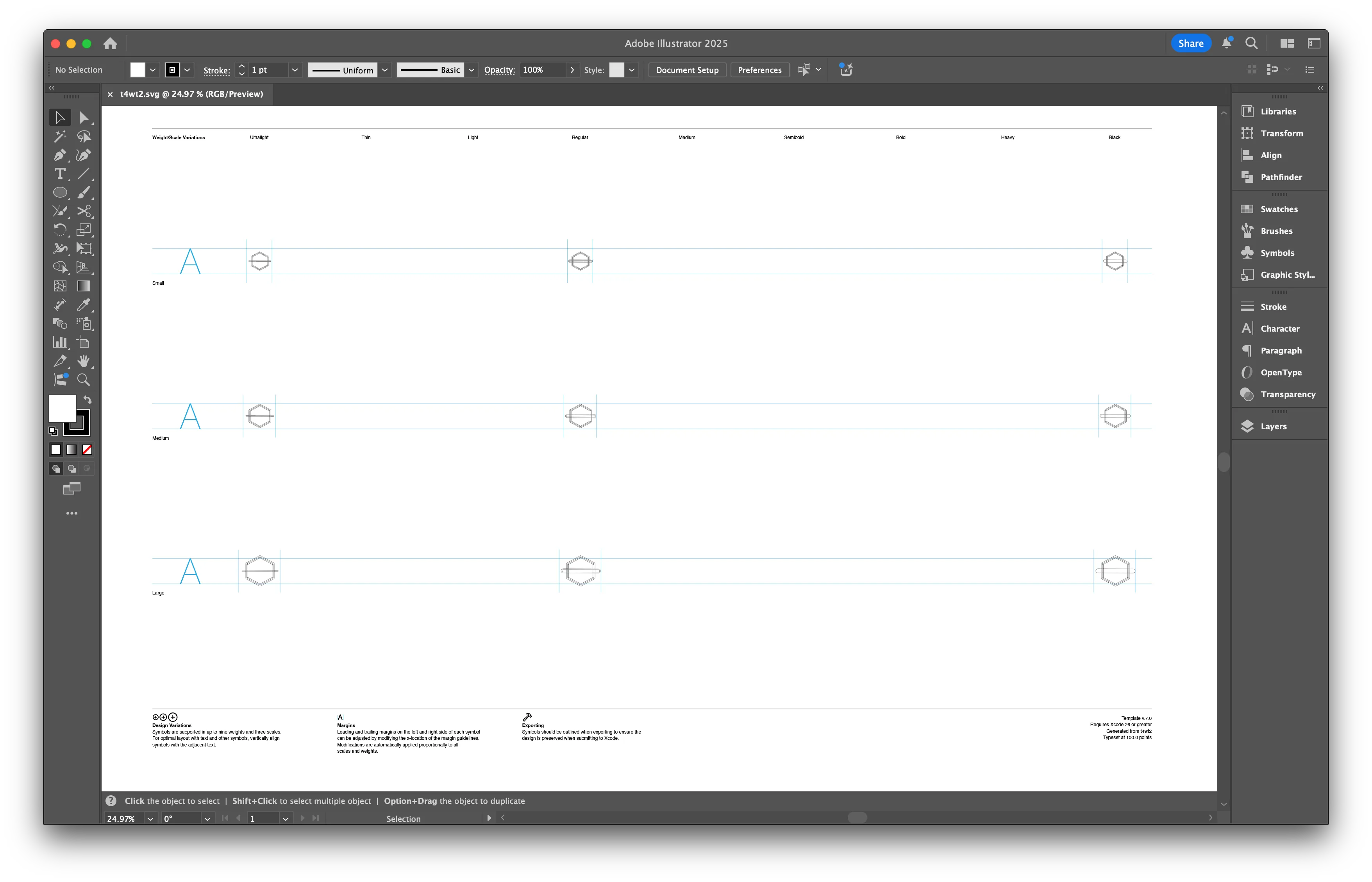
- Making sure to keep the structure of nested groups, remove the existing symbol in the three sizes and weights, and start drawing your own.
- Convert all strokes and shapes to outlined paths.
- When working on multiple weights, paths need to be in the same order and have the same number of points. The easiest way is to duplicate your regular weight and then move the points around for the other weights.
- Save this back as an SVG.
- Open it back into the SF Symbols app.
- Use SF Symbols to create a set of layers and groups based on the paths within your symbol. You can use these to assign colours to the different paths, plus some other bits of metadata. This layer structure doesn’t come from your vector editor, it’s made within the SF Symbols app.
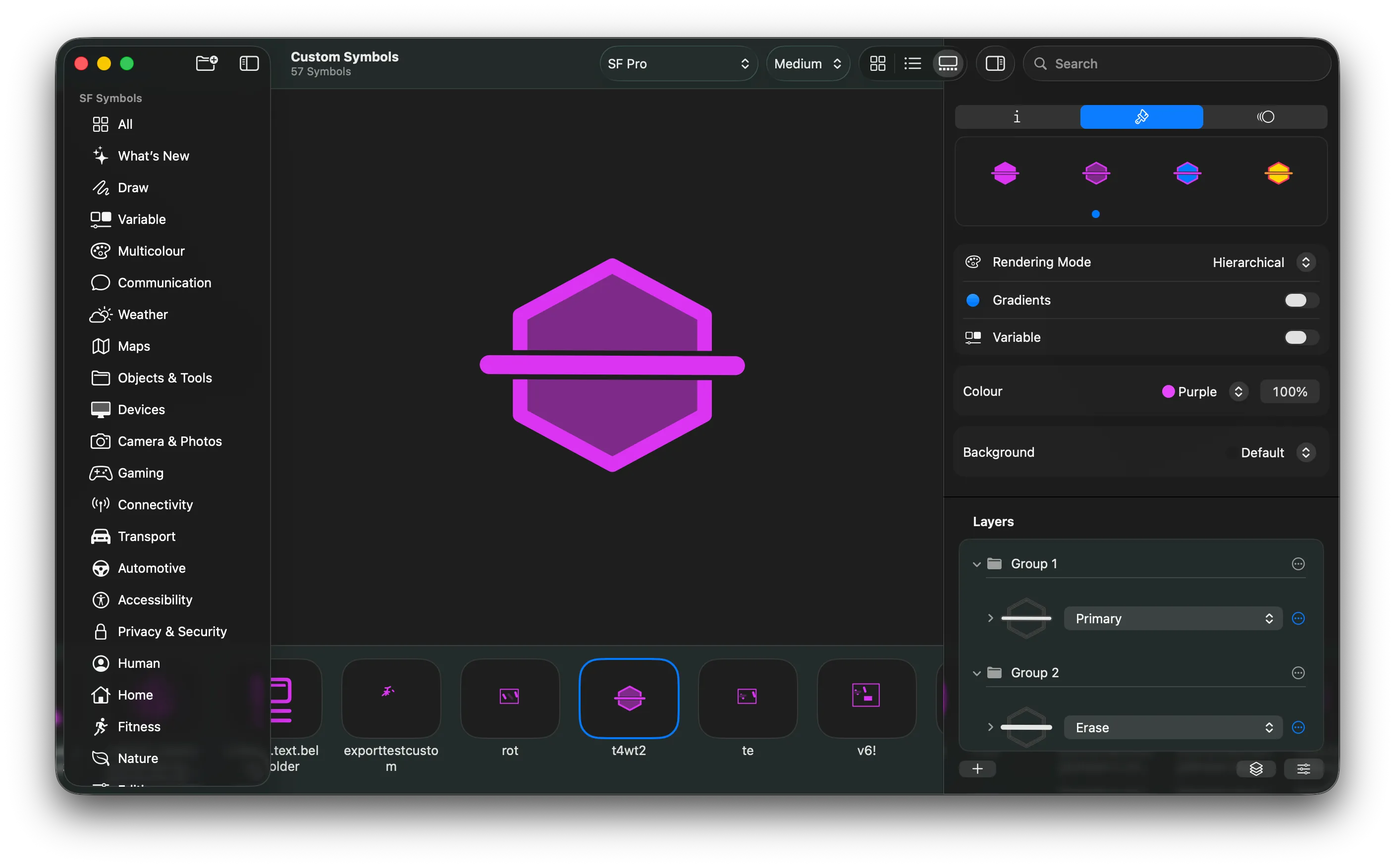
- Make sure to set the layer colours separately for each of the four rendering modes.
- Export your symbol again.
- Drag this newly exported SVG into an asset catalog within your Xcode project.
- Now you can use it in your own app.
McKinley makes this smoother.
There are some real friction points with Apple’s workflow. Having to export and import back-and-forth between SF Symbols and your vector editor. Converting all your strokes to outlined paths, and then being stuck if you want to tweak a line width somewhere. Doing your vector editing without seeing the composited symbol, so having to ‘predict’ how different parts will erase and stack. Having to manually ensure the different weights match up in a way that supports interpolation.
McKinley is designed to make this easier. McKinley combines vector editing and SF Symbol annotation in the same app. In particular, the editable symbol weights are not completely separate vectors in McKinley, but rather they’re different views on the same objects. The idea is that they cannot diverge in structure! (Or, to be fair, they typically cannot. There are a few situations in which McKinley cannot keep things interpolatable. But if that happens, you get a nice warning icon, rather than finding out later when you try to use the symbol.)
In McKinley, your strokes stay as strokes, and you can give them a different width per symbol weight. I’m calling attention to this one because it was my main annoyance with Apple’s workflow.
You don’t need the SF Symbols app
McKinley is a self-contained way of making and editing SF Symbols. Unless you need one of the few functions we don’t support yet, you can build and preview your symbol in McKinley and export or sync it straight into your Xcode project.